

When you configure OpenClaw with multiple AI models, you eventually ask yourself: which models do I actually have configured? What's the primary model? Which are the fallbacks?
I have two methods to answer these questions. The first uses OpenClaw's CLI commands - fast and straightforward. The second goes through the configuration file - useful when you need to modify something.
Method 1: CLI Commands
List configured models
The simplest command is this:
openclaw models listIt shows all the models you've added. In my setup, for example, I have four models configured: OpenAI GPT-4.1 Nano, GPT-4.0 Mini, GPT-4.0 Nano, and Google Gemini Pro (preview).
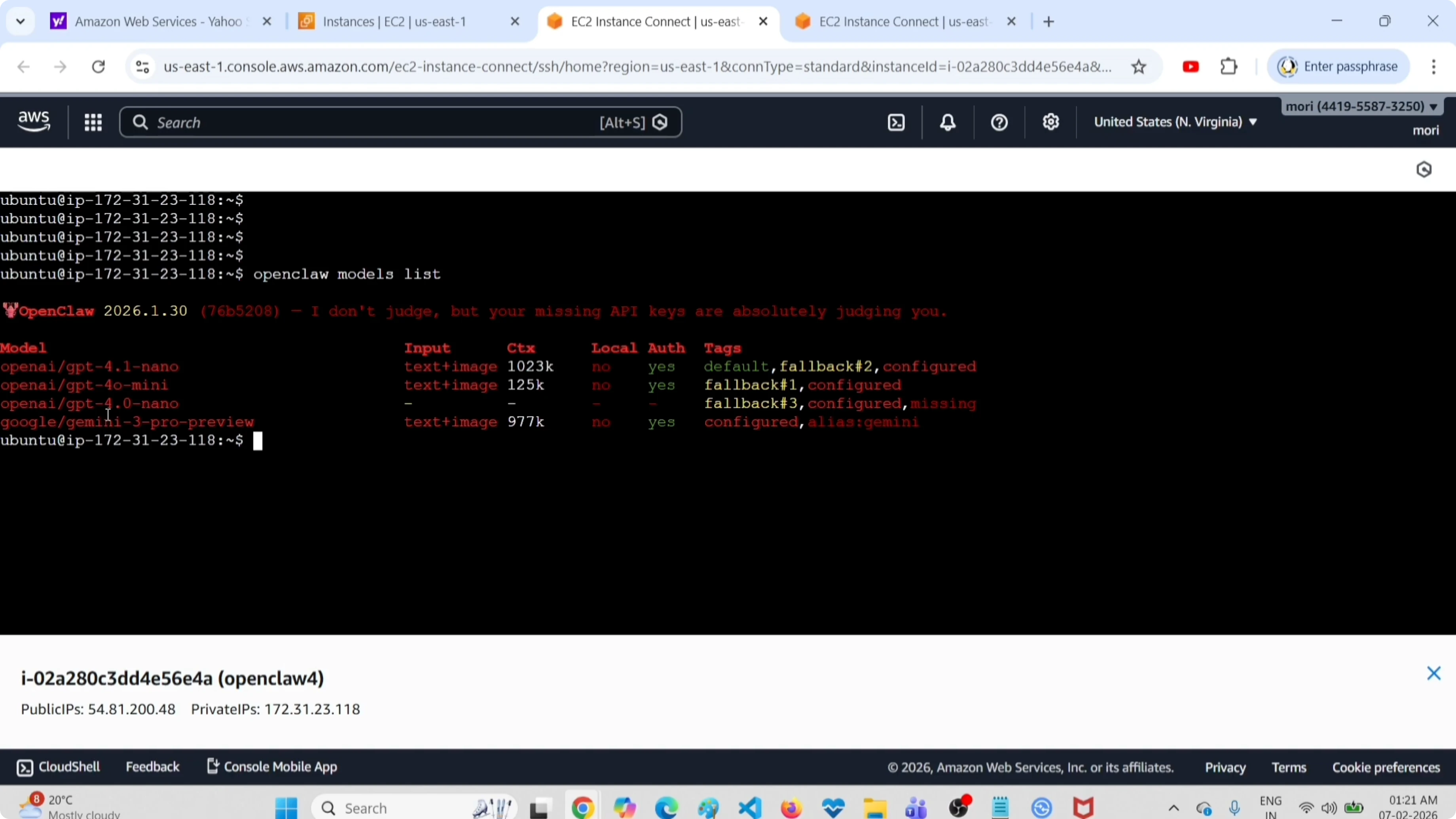
The command prints the models cleanly, one per line. If you only need to know which fallbacks are active, there's a specific command for that.
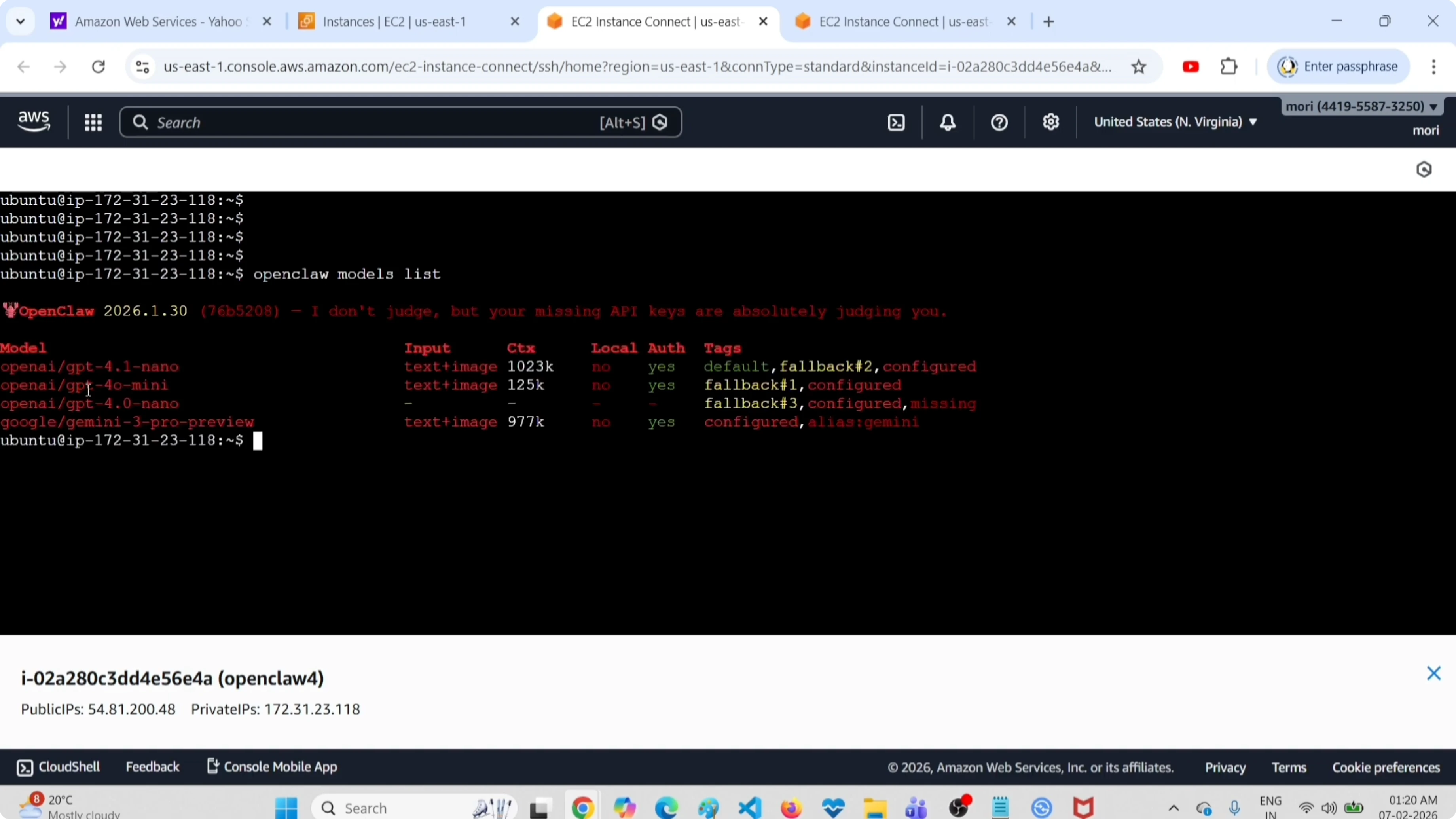
See status with primary and fallback tags
This command gives you more details:
openclaw models statusThe output includes explicit tags: default for the primary model, fallback for the others. You also see the config file path and the complete model list.
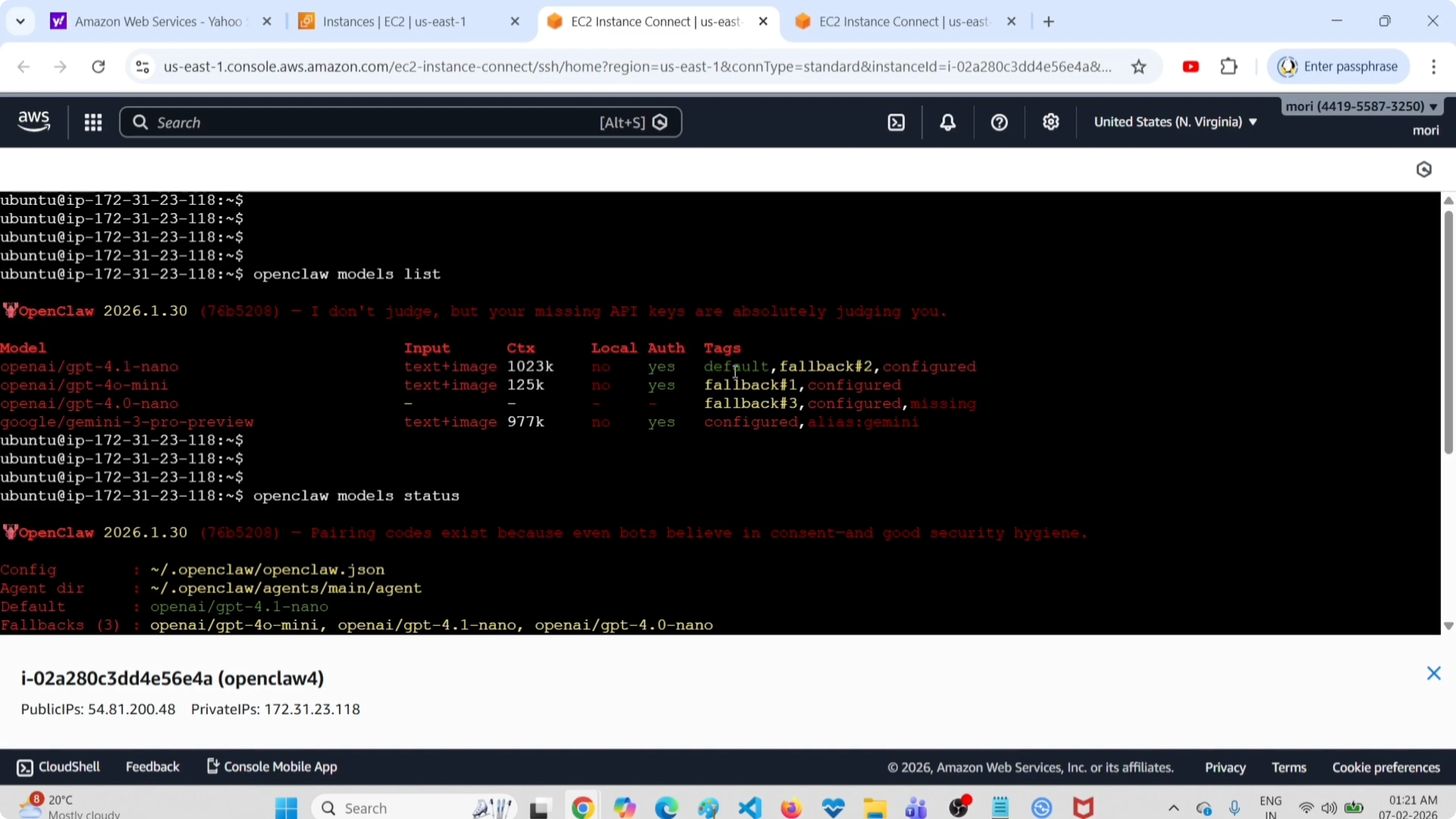
This view is very useful when you have multiple models and want to quickly understand the hierarchy. OpenClaw tries the default model first. If it doesn't respond or errors out, it moves to the fallbacks in the order you configured them.
Need help with AI integration?
Get in touch for a consultation on implementing AI tools in your business.
Method 2: Configuration File
Open the file
If you prefer to see everything together and maybe edit something, open the configuration file directly:
vim ~/.openclaw/openclaw.jsonOr use nano if you prefer:
nano ~/.openclaw/openclaw.json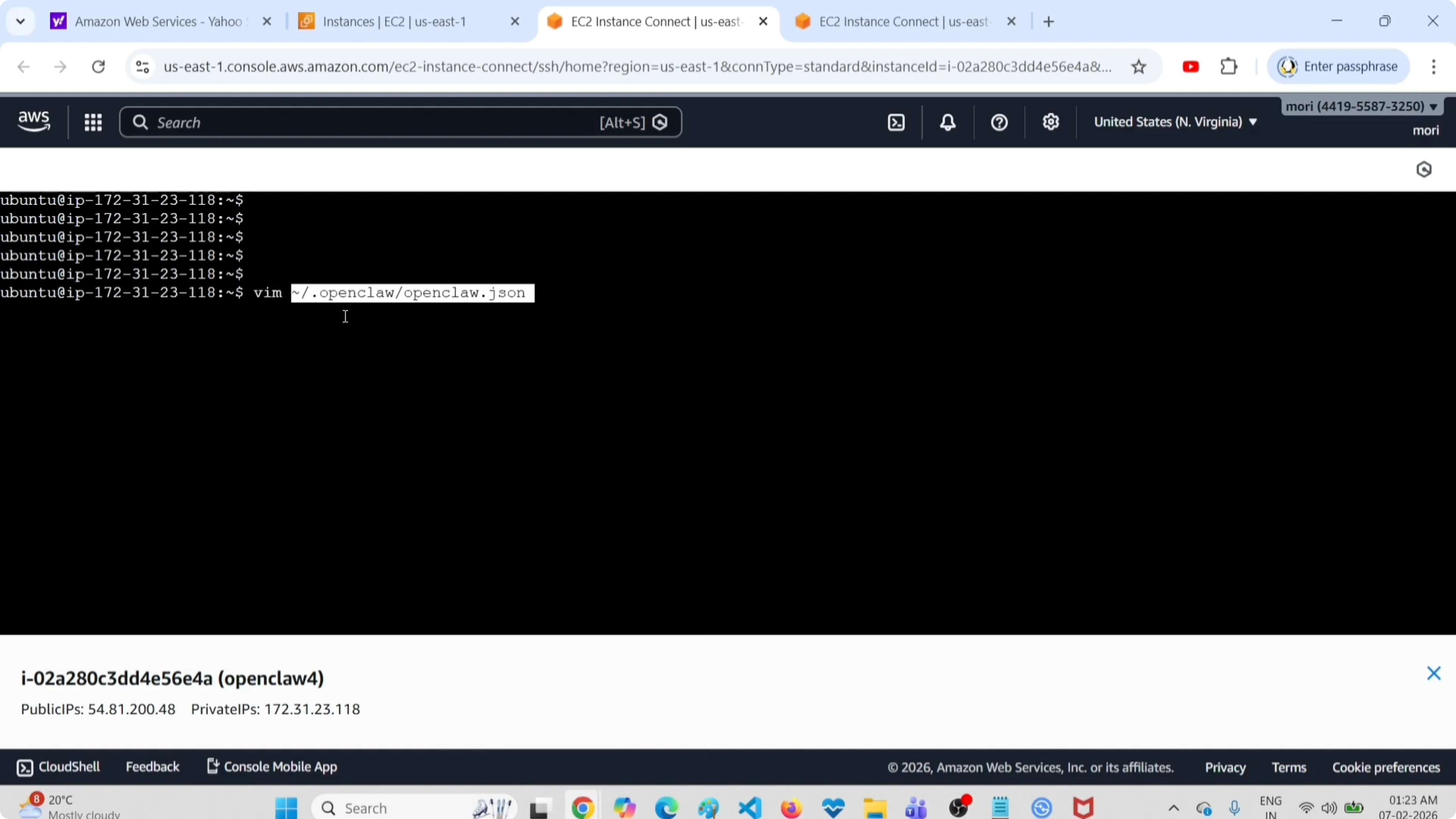
Identify primary and fallback
Look for the models section. There you see the primary model and the fallbacks listed in order.
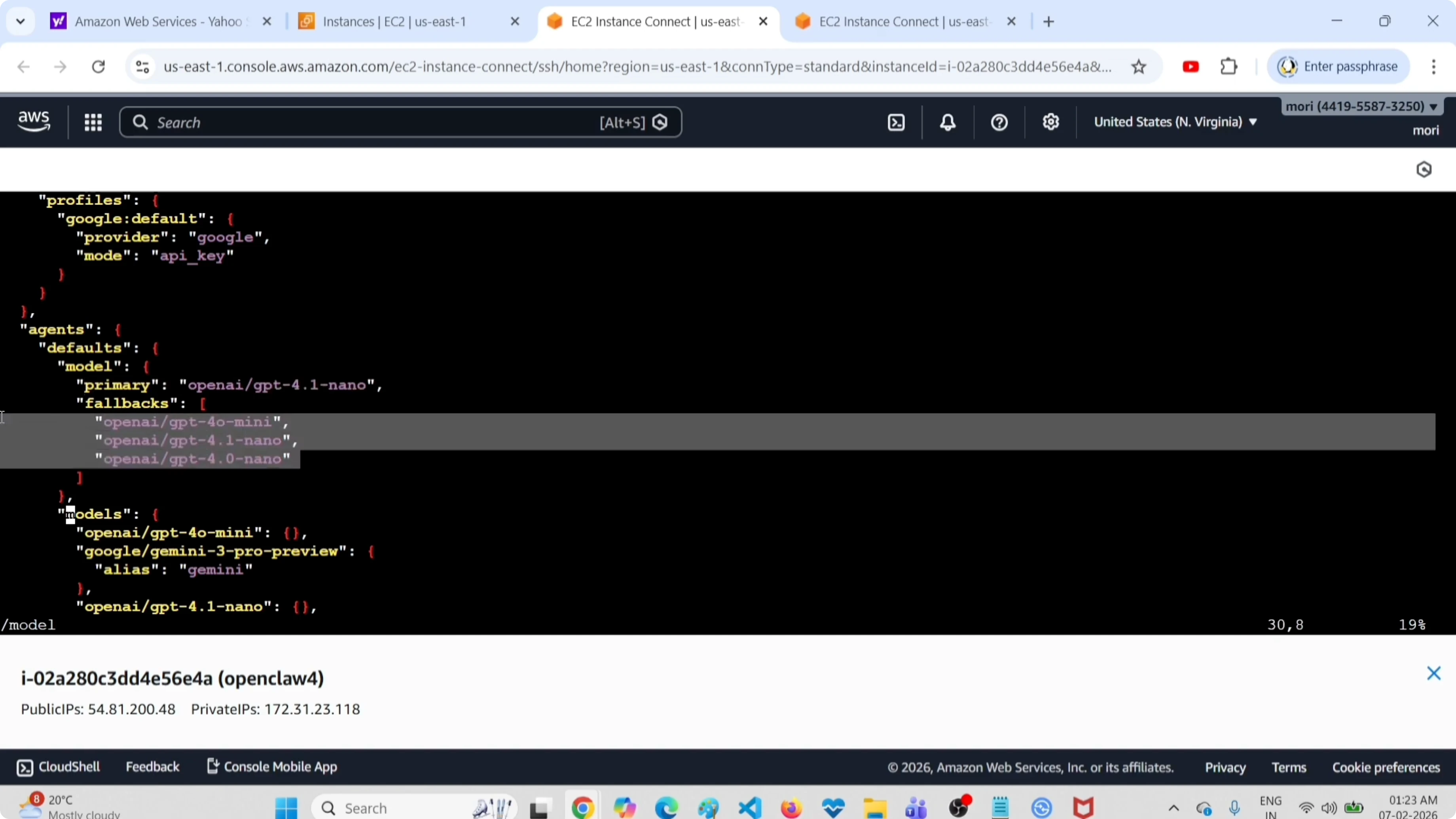
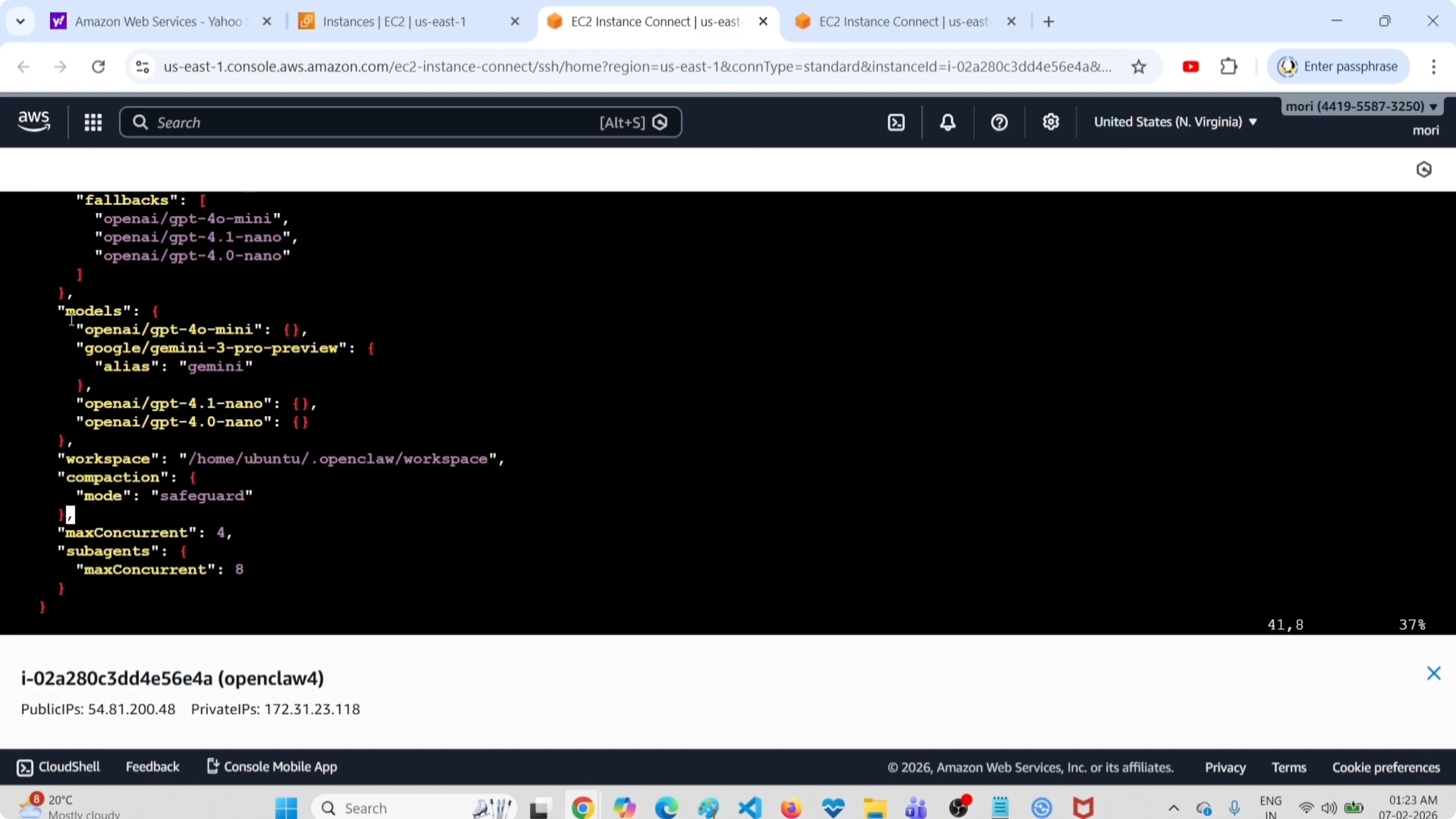
In the JSON, the primary model is the one marked as primary or default. The fallbacks are in a separate array. If you scroll further down, you see all configured models with their complete details.
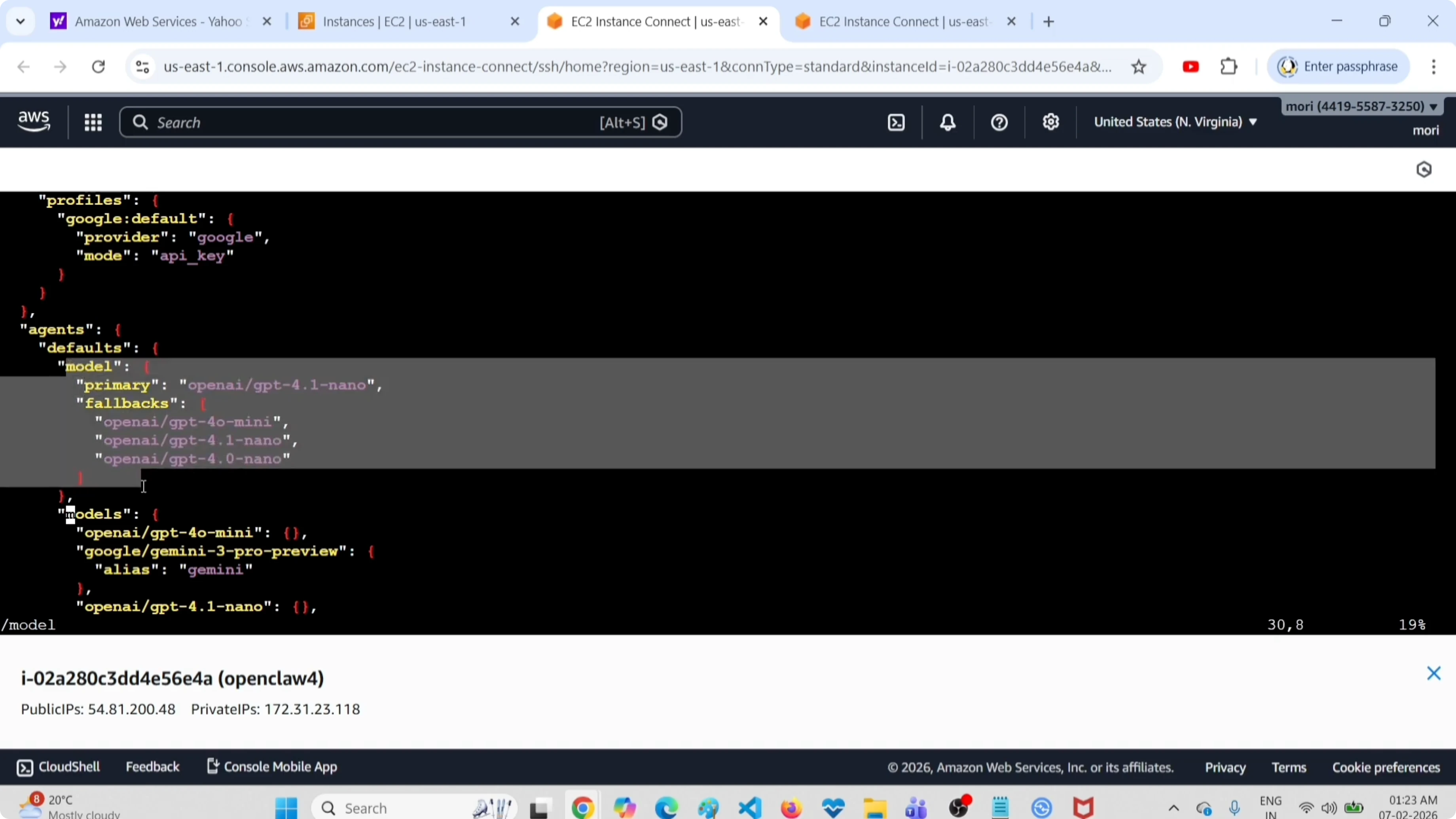
This view mirrors the status command output, but here you have full context: API keys, endpoints, custom parameters.
Edit and restart
If you modify the file - add a model, change fallback order, remove something - you need to save and restart the gateway:
openclaw gateway restart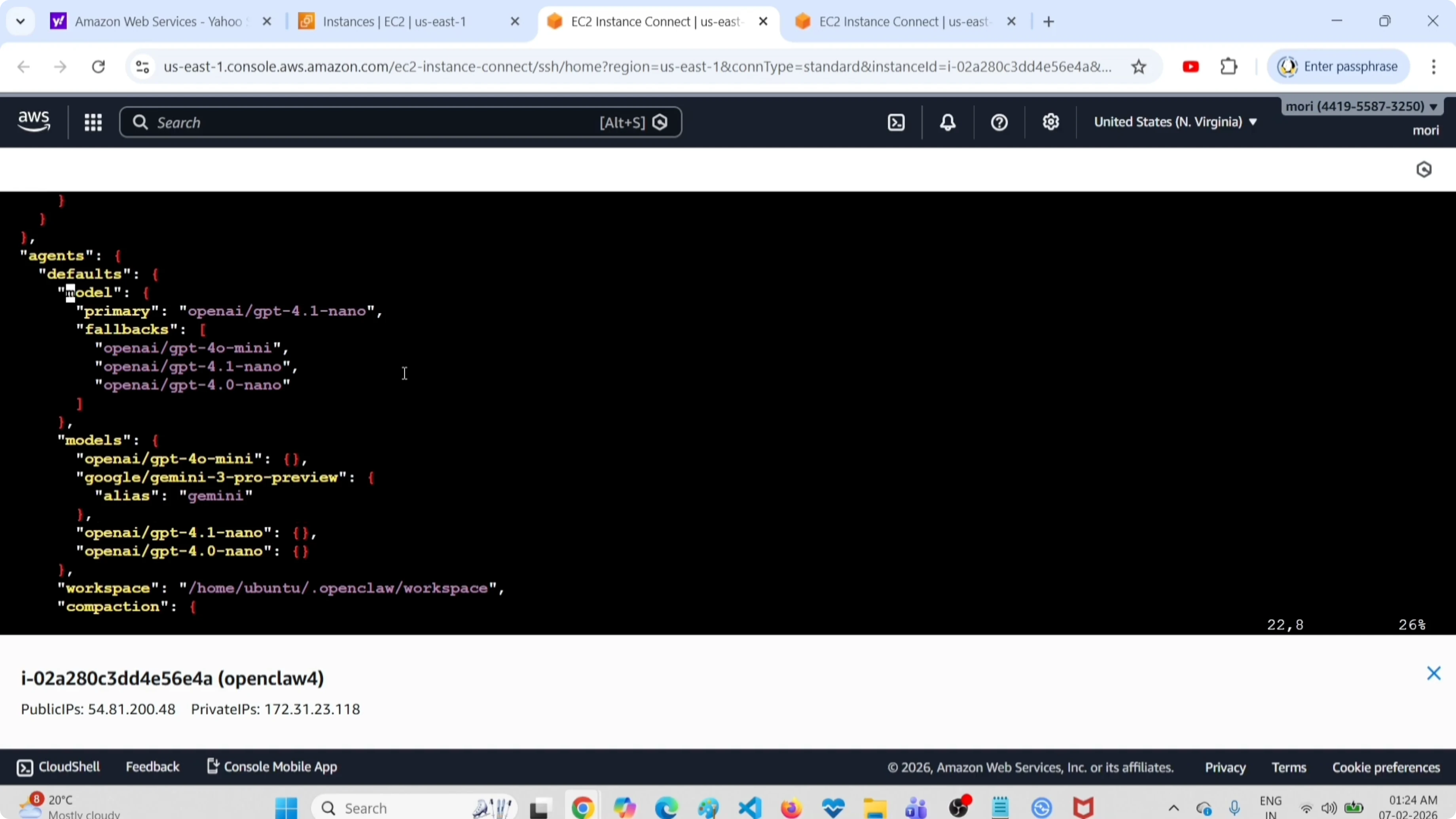
The restart applies the changes. You don't need to restart the whole system, just the gateway process.
Check out my projects
Take a look at the projects I am working on and the technologies I use.
Model Hierarchy
OpenClaw has a simple but effective logic:
- Primary (default) - the model you normally use. All requests start here.
- Fallback - backup models. If the primary doesn't respond or fails, OpenClaw tries the first fallback. If that also fails, it moves to the second, and so on.
This system saves you when a provider has issues. I always have at least one fallback configured, usually a local model with Ollama or a free model on OpenRouter.
Troubleshooting
The models list command doesn't work?
Verify that OpenClaw is installed and the gateway is active. Try openclaw status to see the general state.
The primary model isn't what I expected?
Check the configuration file. Sometimes you modify models from CLI and then the JSON file doesn't reflect the last command. When in doubt, trust the JSON.
Fallbacks aren't being used?
Make sure the primary model is actually failing. If it responds correctly (even if slowly), OpenClaw won't move to fallbacks. Fallbacks kick in only on real errors (timeout, 429, 500, etc.).
Final Thoughts
These are the two ways to see all configured OpenClaw models. The CLI method is faster for daily checks. The configuration file is better when you need to understand exactly how the setup is structured or make manual edits.
I use openclaw models status every time I add a new model, just to confirm everything went smoothly. And I always keep a backup of the openclaw.json file before major changes - you never know.


