

If you've tried self-hosting OpenClaw, you know how much work goes into the initial setup: installing Node.js, configuring models, managing the gateway, opening ports. Powerful, yes - but not zero-friction.
MaxClaw is Minimax's answer to that: fully managed OpenClaw in the cloud. No terminal. No config files. A URL, one click, and your AI agent is running in under a minute.
What MaxClaw Is
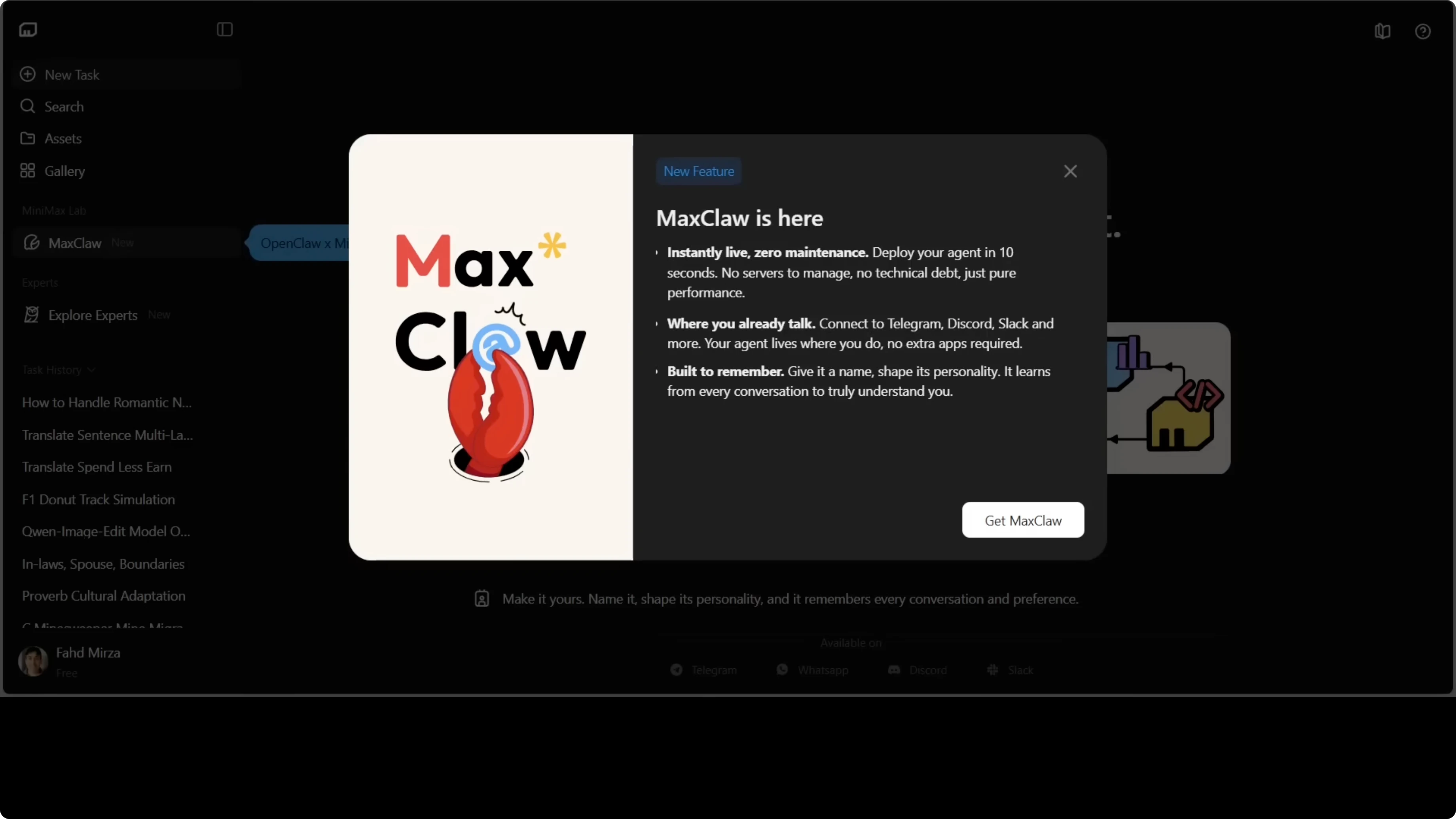
MaxClaw is the managed version of OpenClaw hosted on Minimax infrastructure. It runs 24/7 in the cloud, includes access to 10,000+ pre-built expert agents, and connects to Telegram, Discord, WhatsApp, and Slack in minutes.
The pitch is simple: get a URL, click once, you're in.
Unlike a traditional OpenClaw install, you manage nothing at the infrastructure level. The gateway runs on Minimax servers, the agent is always on, and you interact through whichever channels you prefer.
The trade-off is obvious: less control, but zero friction. For anyone who wants to experiment with OpenClaw without touching config files, it's the right entry point.
Launching MaxClaw
The process is genuinely fast:
- Go to agent.minimax.io
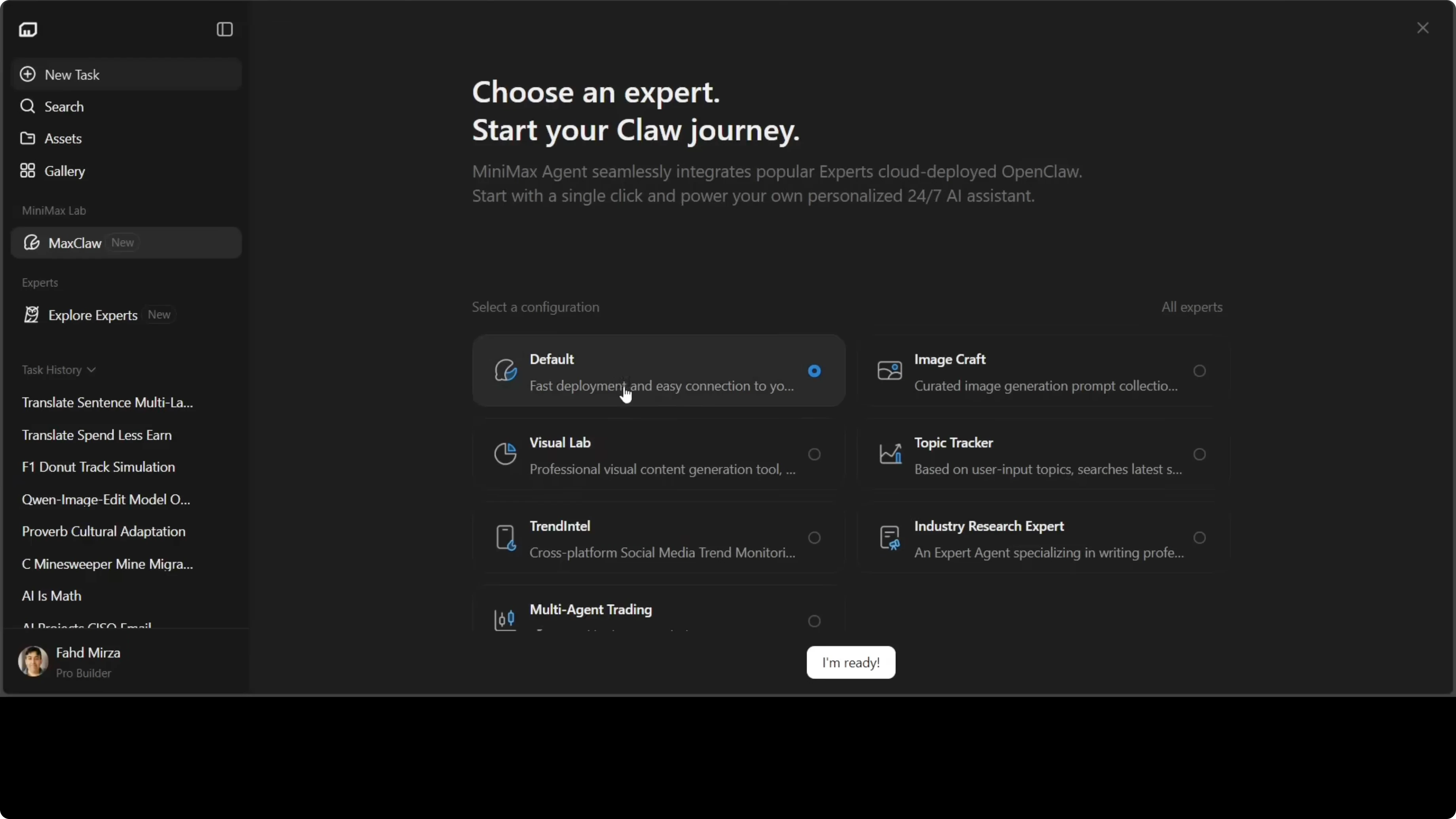
- Select MaxClaw and click "Start now"
- Choose a cloud plan for continuous deployment
- Pick a configuration type: Default, Image Generation, or Trend Analysis
- Deployment completes in seconds
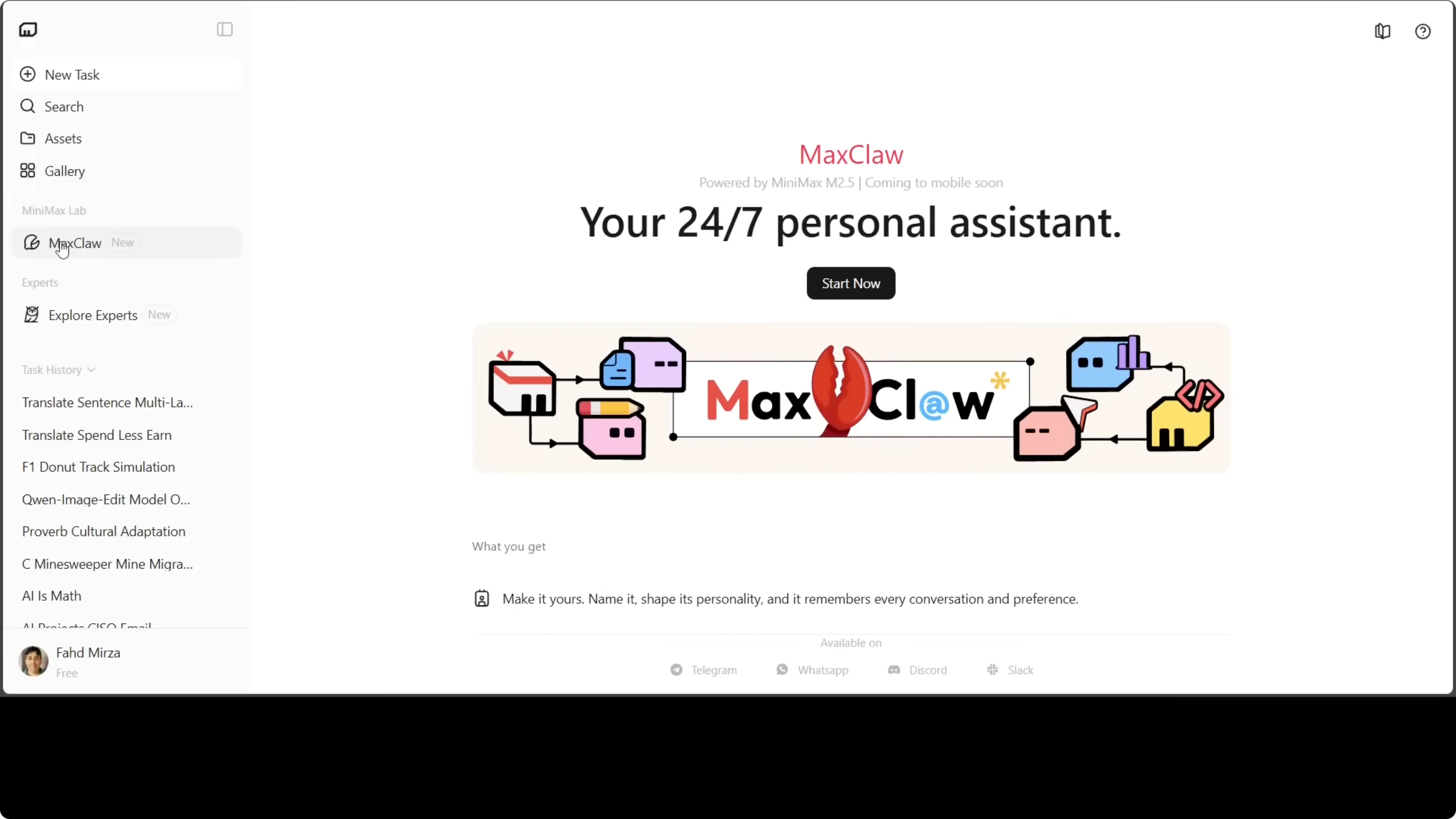
I went with Default for a general-purpose agent. Image Generation and Trend Analysis are pre-optimized configurations for specific workflows - useful if you already know what you need.
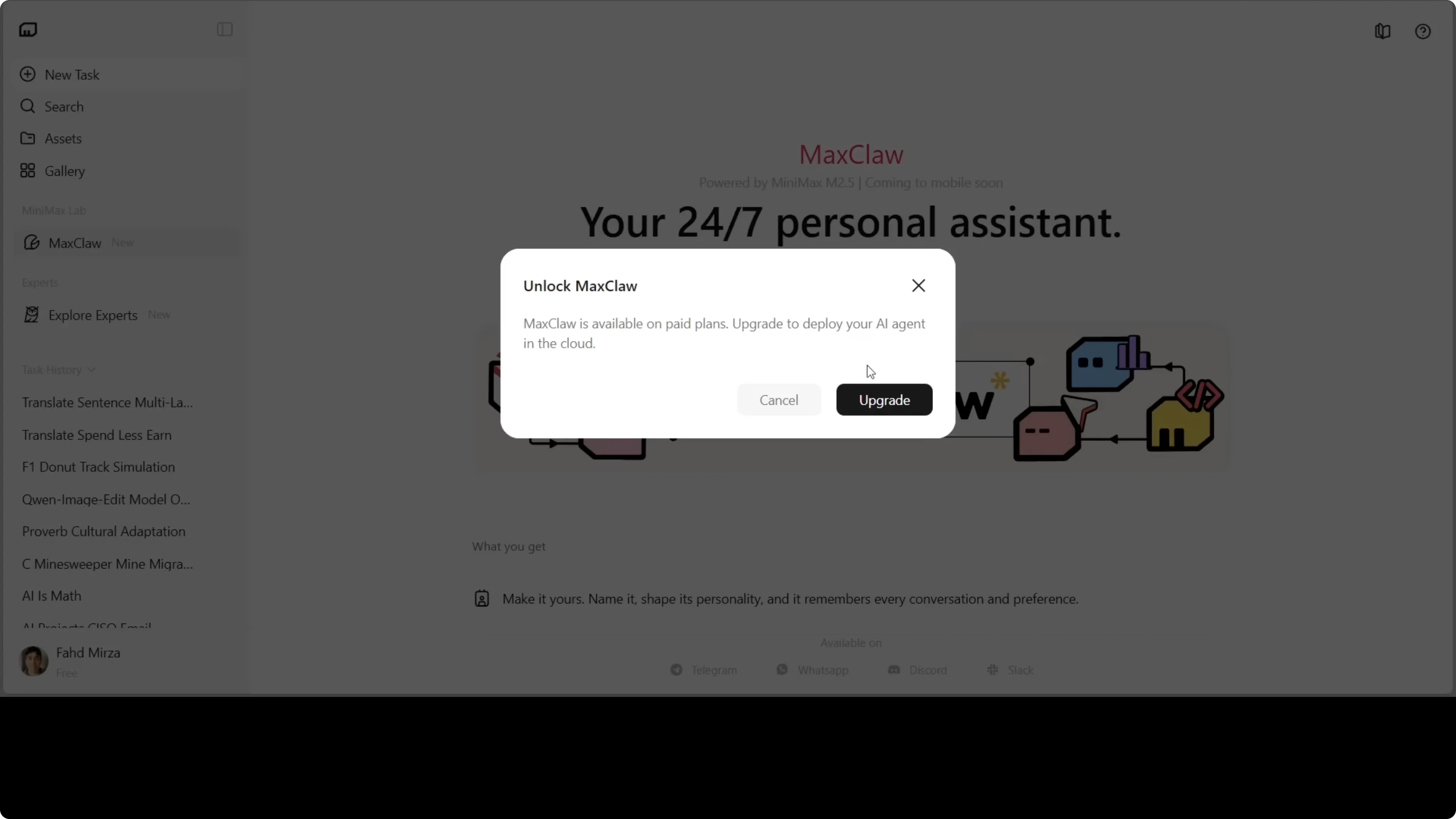
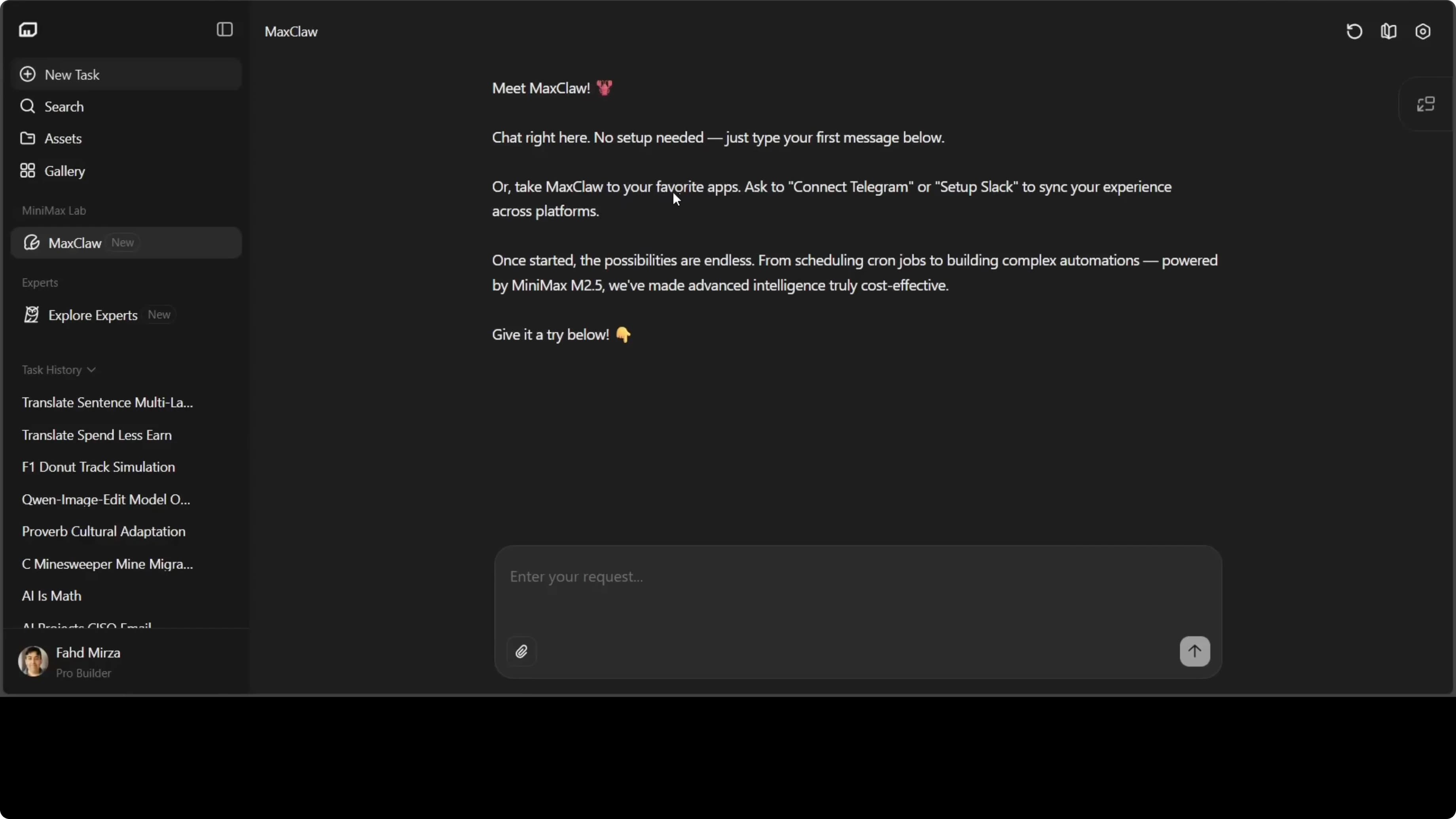
Once deployed, you land in a chat interface that looks similar to OpenClaw's desktop UI. You can start chatting immediately or set up integrations.
Need help with AI integration?
Get in touch for a consultation on implementing AI tools in your business.
Connecting Telegram
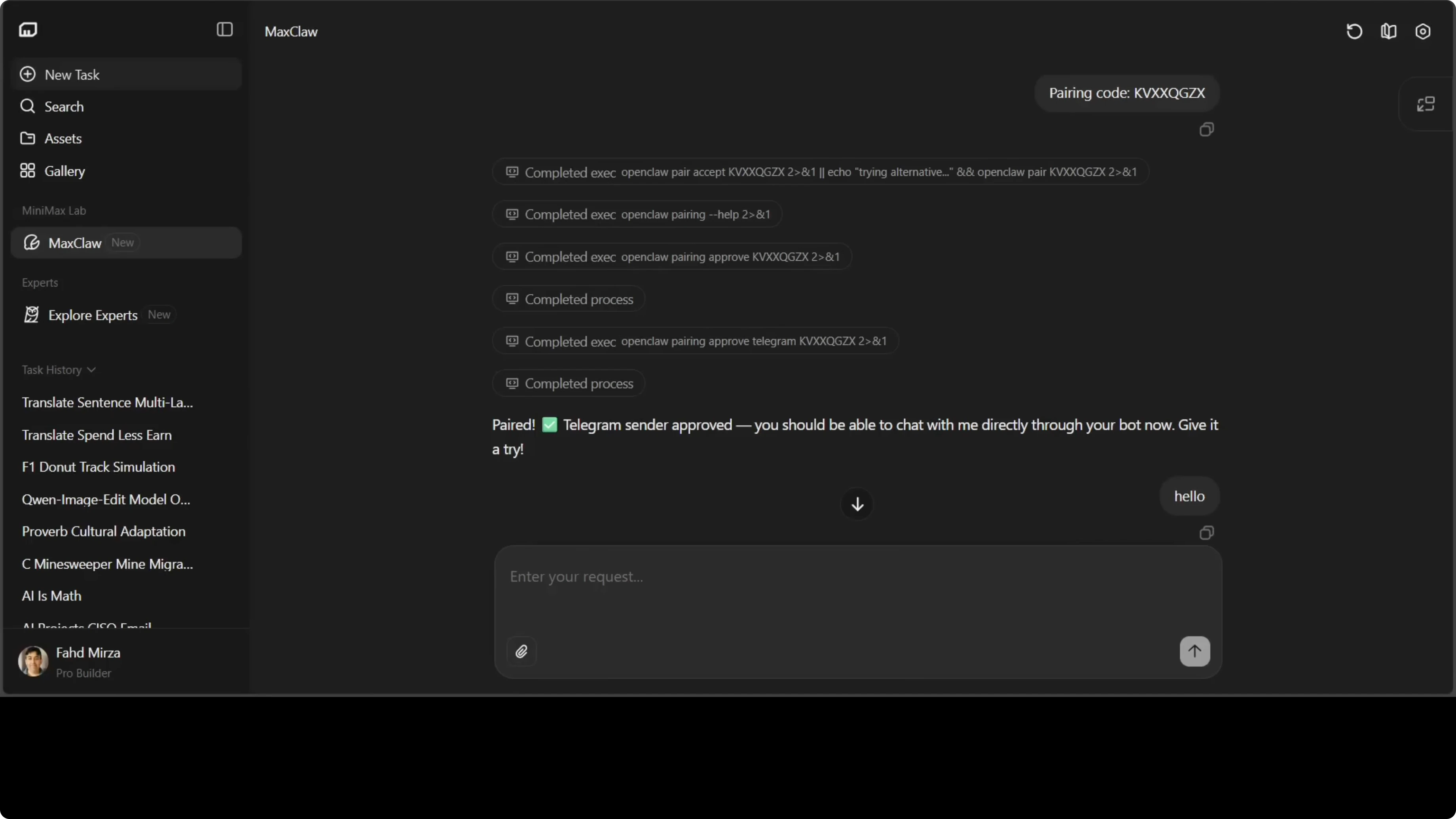
First thing I did after deployment was connect Telegram. Same as with self-hosted OpenClaw - just type in the chat:
connect telegram
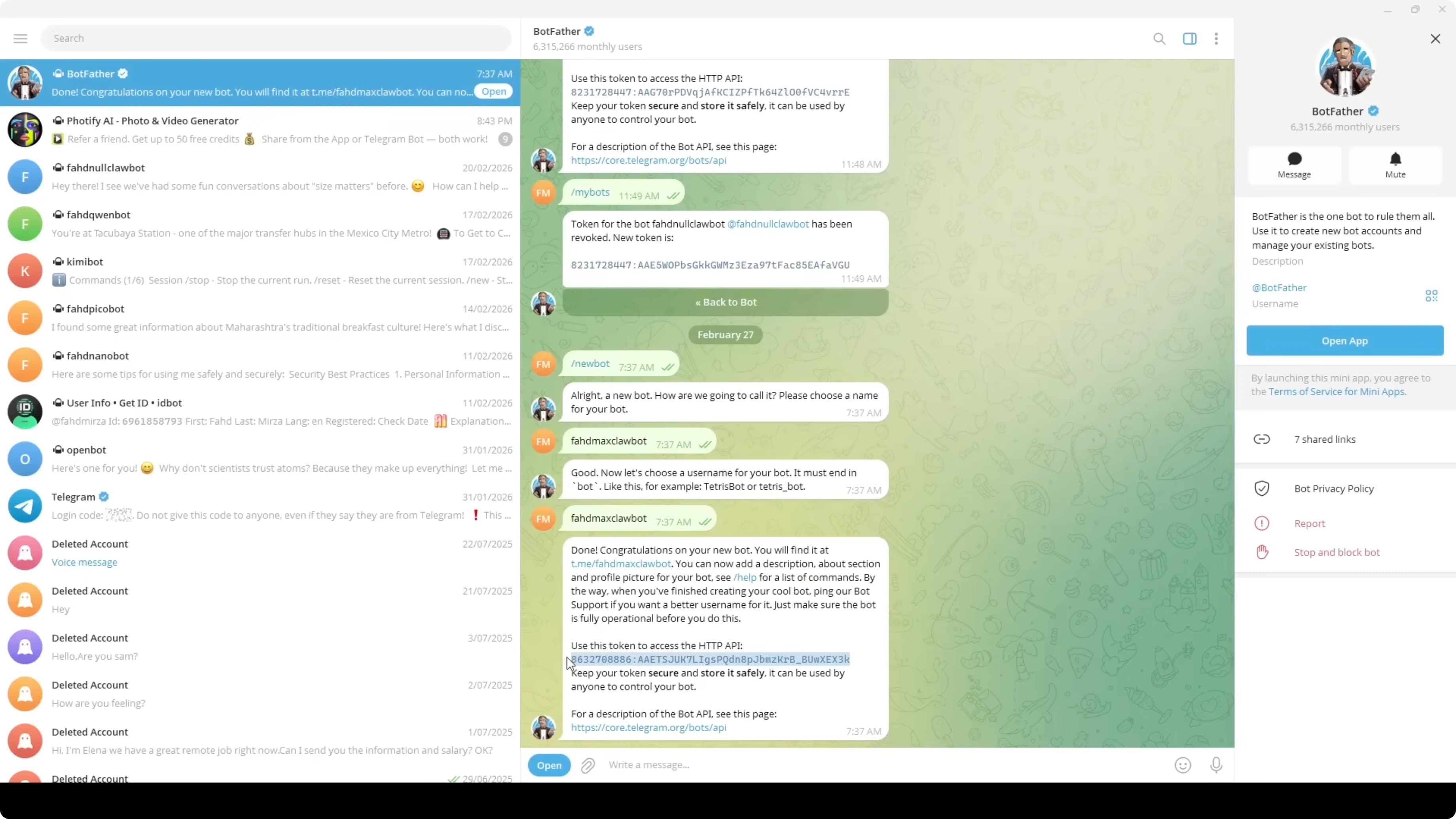
MaxClaw walks you through the steps. You need a Telegram bot token from @BotFather:
- Search @BotFather on Telegram
- Send the
/newbotcommand - Choose a name for the bot (e.g.,
MaxClaw Bot) - Choose a username ending in
bot(e.g.,maxclaw_mybot) - Copy the generated token and paste it into MaxClaw
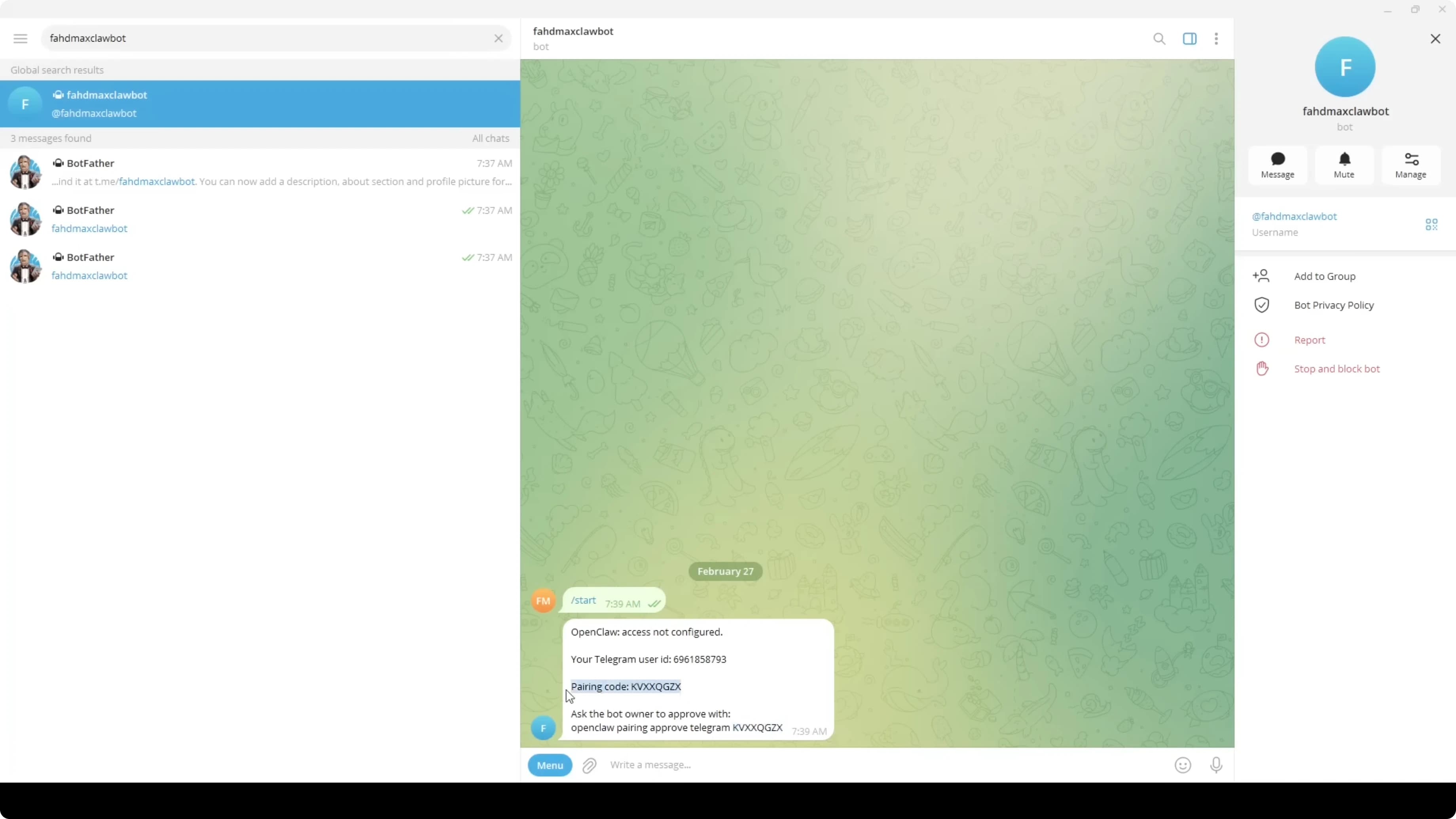
In under a minute your agent is responding on Telegram, available 24/7 without keeping any server running on your end.
The same flow works for Discord, WhatsApp, and Slack. MaxClaw creates a secure bridge between OpenClaw and your messaging channels, executing commands in a sandboxed container.
Memory and Scheduled Tasks
One of MaxClaw's most useful features is native support for long-term memory and recurring tasks.
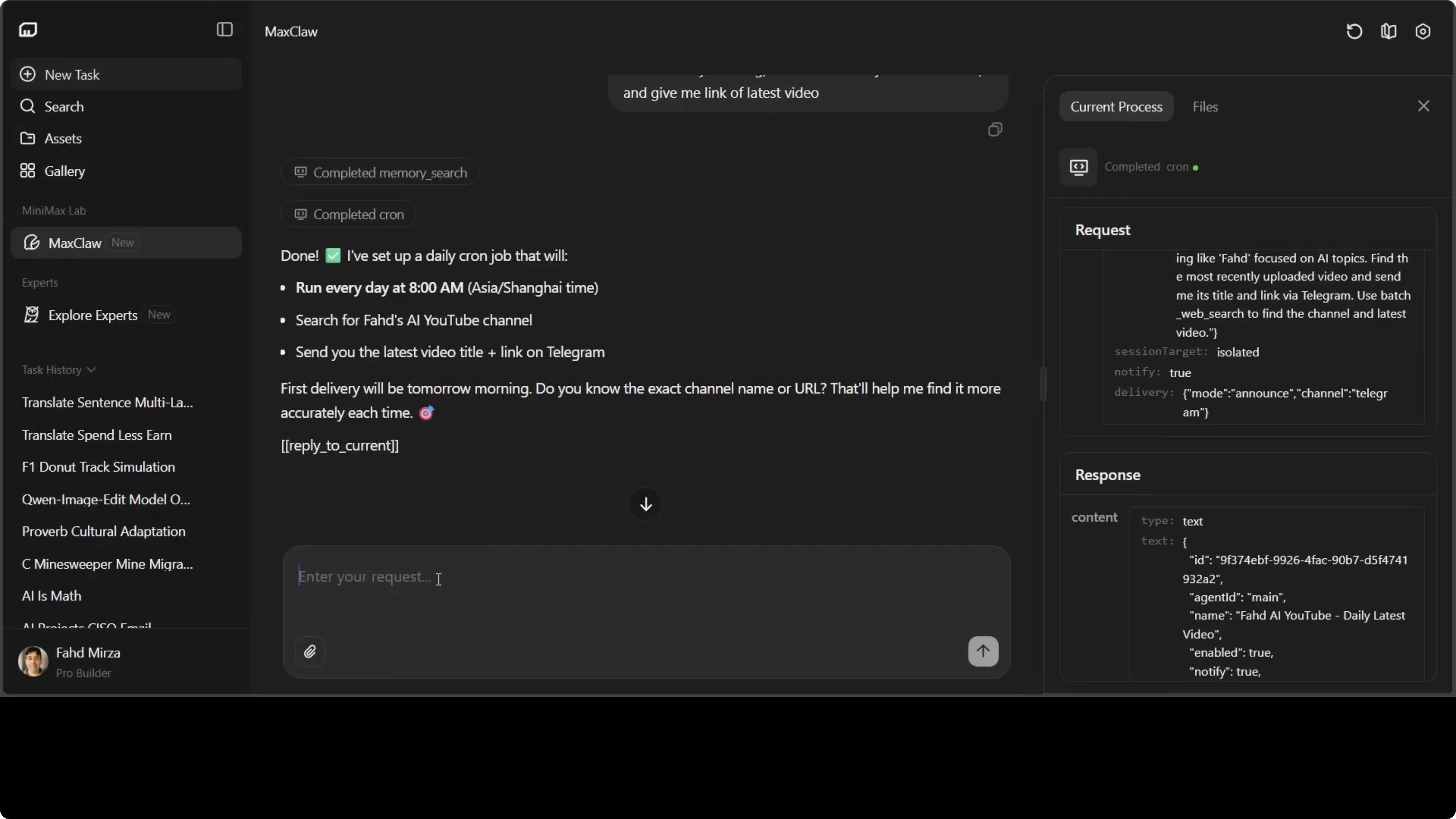
You can configure reminders and automated jobs in plain language:
at 8 a.m. every morning search "AI YouTube channel" and send me the link to the latest video
MaxClaw parses that, schedules it, and delivers results to your Telegram every morning. No cron jobs, no code.
The memory is stored in a memory.md file visible in the Files section. You can inspect exactly what the agent remembers: your preferences, configured tasks, context accumulated from conversations.
Skills and Claw Hub
MaxClaw includes access to the Claw Hub, OpenClaw's skill marketplace. You can ask the agent to find, install, and use specialized skills:
find a skill for stock market analysis
The agent searches Claw Hub, installs the skill, and starts using it immediately.
This is one of the core advantages over a generic LLM: skills extend the agent's capabilities with specific functionality without writing any code.
The Files View
Something I appreciate about MaxClaw is the transparency around configuration. The Files section shows:
- User settings
- Agent definitions
- Available tools
- The
memory.mdfile with long-term memory
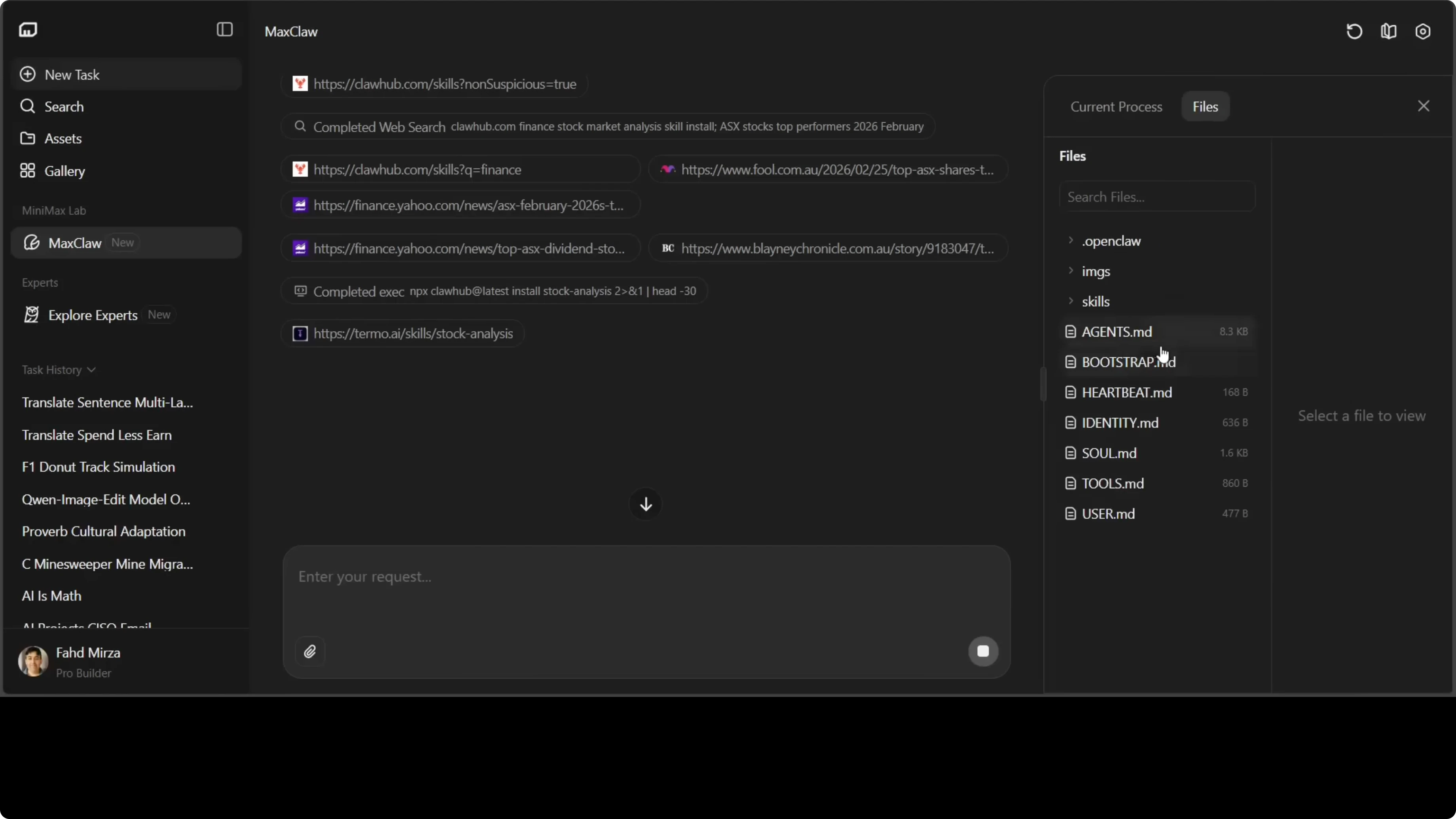
It's not a black box. You can inspect what's running and understand how your agent is configured.
Need help with AI integration?
Get in touch for a consultation on implementing AI tools in your business.
MaxClaw vs Self-Hosted OpenClaw: Which to Choose
It depends on what you're optimizing for:
| MaxClaw | Self-Hosted OpenClaw | |
|---|---|---|
| Setup | Zero - one click | Requires installation and configuration |
| Control | Limited - infrastructure managed by Minimax | Full - every detail configurable |
| Availability | 24/7 automatic | Depends on your server |
| Cost | Minimax paid plan | Your server/VPS cost |
| Privacy | Data on Minimax servers | Fully local |
| Customization | Pre-configured options | Unlimited |
MaxClaw makes sense if:
- You want to try OpenClaw without any technical setup
- You don't have a server to host on
- You'd rather not manage infrastructure
Self-hosted OpenClaw makes sense if:
- Privacy matters - you want data local
- You need granular control (custom models, tools, skills)
- You already have a server and want full ownership
Personally I use both: MaxClaw for quickly testing new configurations, self-hosted OpenClaw on my Mac Mini for production workflows.
Security Notes
Before connecting MaxClaw to public channels (large Discord servers, open Telegram groups) it's worth reviewing security settings. The Telegram bot token in particular should be treated like a password: don't share it, and if it gets compromised, rotate it immediately.
Running in a sandboxed container on Minimax infrastructure limits the blast radius, but standard hygiene applies: don't connect accounts with access to sensitive data to third-party cloud services unless you're comfortable with the trade-off.
Wrapping Up
MaxClaw dramatically lowers the barrier to getting started with OpenClaw. If you've been putting it off because the self-hosted setup seemed too involved, MaxClaw removes that excuse.
Five minutes from zero to a working AI agent on Telegram. Once you've learned the patterns, migrating to self-hosted OpenClaw for more control is straightforward - the core concepts are identical.


