

If you want a working QVAC Whisper transcription pipeline on macOS today, you can have one in about ten minutes. Install @qvac/sdk, load a Whisper model, point it at a .wav file, get a string back. No cloud, no API key, no per-minute billing, no audio leaving the laptop. The whole thing fits in twenty lines.
That's the demo. The reason to actually do it is harder to fit on a slide: the second you put cloud transcription into a real product, you start writing privacy reviews. Meeting recordings, voice notes, customer calls, internal interviews - all of it becomes "data we send to a vendor." A local Whisper running through QVAC SDK turns that whole conversation off. The audio never leaves the disk it was recorded on.
This tutorial walks the loop end-to-end. You'll generate a sample with macOS's say, transcribe it with WHISPER_TINY, swap to a bigger English-only model for accuracy, benchmark both, then wrap the whole thing as a transcribe <file> CLI you can drop in ~/bin. Everything in this post was produced by actually running the code on a Mac on 2026-04-26 - the transcripts, timings, and outputs you'll see are real.
Why offline transcription on macOS?
Three reasons stack on top of each other:
- Privacy. Cloud APIs see every byte you upload. For anything covered by NDA, GDPR, HIPAA, or just "the legal team would prefer if we didn't," the safest answer is to never put the file on someone else's server. With a local Whisper, the audio file goes from disk → memory → text and never leaves the machine.
- Cost. OpenAI's
whisper-1is $0.006/minute. That's nothing for one file and surprisingly real for an app that transcribes a thousand customer calls a week. Local Whisper is free at runtime; you pay once in download bandwidth and disk. - Latency. Round-trip to a cloud transcription API is hundreds of milliseconds before any work starts. Local Whisper on Apple Silicon transcribes a 30-second clip in ~400 ms, including model load. For interactive use cases - voice notes, meeting summaries, live captioning - that gap is the difference between "feels instant" and "feels broken."
QVAC SDK is the cleanest way to wire this up from JavaScript. If you want the broader pitch, I covered it in What is QVAC SDK? - the short version is that the same loadModel → do thing → unloadModel shape works for transcription, LLMs, image generation, and six other modalities. This post is the deep dive on the transcription branch.
Prerequisites
You'll need:
- macOS 14+ with Apple Silicon (Metal-accelerated). Intel Macs work CPU-only and will be slower.
- Node.js ≥ 22.17. Older versions throw at runtime when you call
loadModel(). - ~500 MB of free disk for the SDK + native binaries + a small Whisper model.
- A working internet connection for the first run only - models download once and cache to
~/.qvac/models/.
No GPU configuration, no cmake, no Python virtualenv. The QVAC native binaries (whispercpp-transcription, in this case the whisper.cpp fork) ship inside the npm package.
Set up the QVAC SDK transcription sandbox
Three commands:
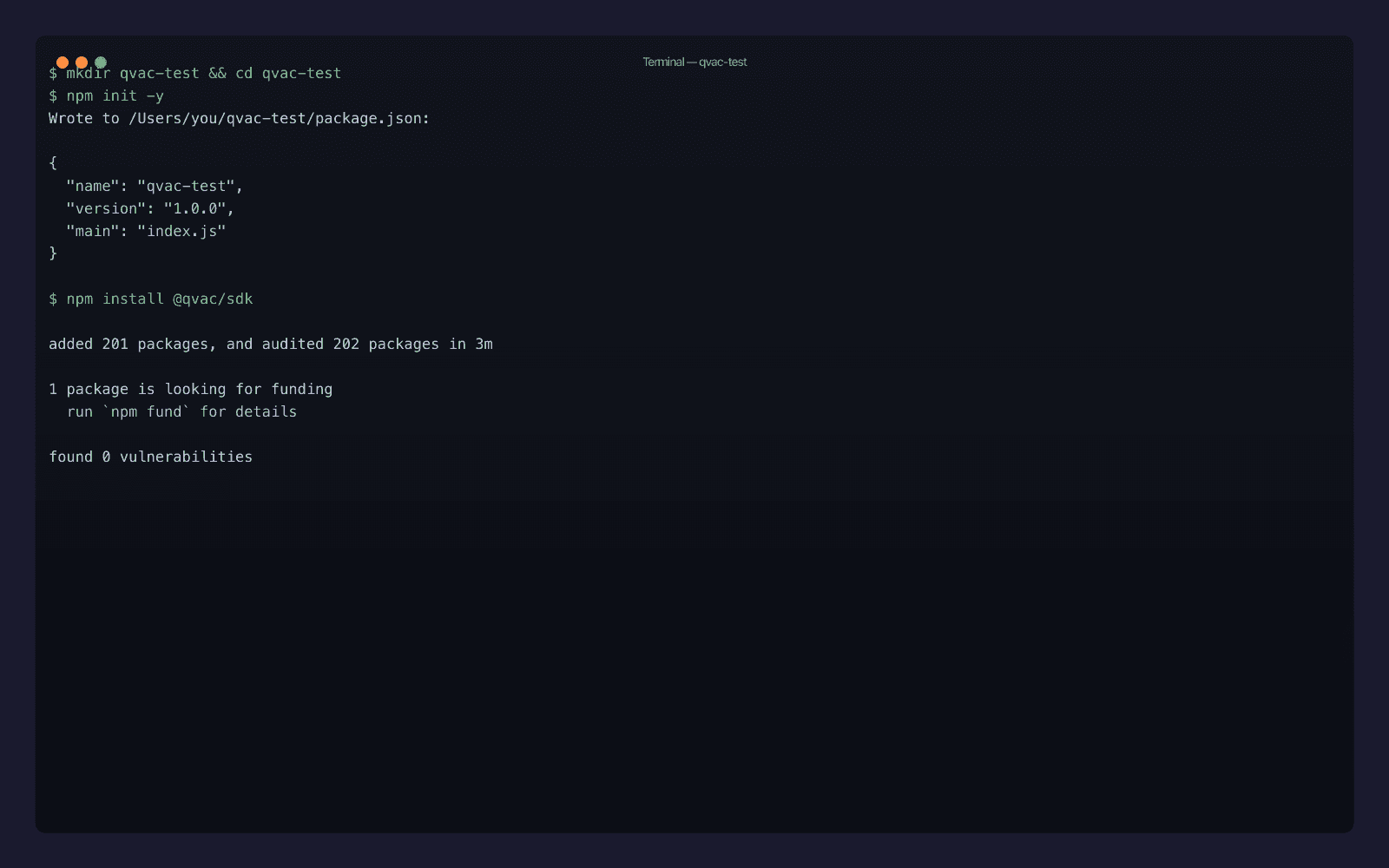
mkdir qvac-whisper-test && cd qvac-whisper-test
npm init -y
npm install @qvac/sdk
The install pulls in around 200 packages and roughly 2.6 GB of native binaries (covering all the QVAC engines: Whisper, llama.cpp, stable-diffusion.cpp, ONNX Runtime, Bergamot). On my Mac it took just under three minutes on a wired connection.
If you only need transcription and the binary footprint matters - for an Electron app, say - you can later use qvac bundle sdk to ship only the engines you actually call. For this tutorial we leave the full bundle in place; the development sandbox doesn't care.
You also need an audio file. Skip the part where you go hunting for a public-domain podcast and just generate one with macOS's built-in say command, which outputs WAV directly:
say -v Samantha --data-format=LEI16@16000 -o sample.wav \
    "QVAC SDK runs Whisper transcription locally on your Mac. The quick brown fox jumps over the lazy dog."
The --data-format=LEI16@16000 flag is doing real work: it asks for 16-bit little-endian PCM at 16 kHz, which is exactly what Whisper wants. If you skip it, say defaults to 22 kHz AIFF and QVAC's internal FFmpeg will resample for you - but it's faster to give Whisper the format it prefers in the first place.
Step 1: Hello-world transcription with WHISPER_TINY
Save this as 01-hello.mjs:
import {
  loadModel,
  transcribe,
  unloadModel,
  WHISPER_TINY,
} from "@qvac/sdk"

console.log("Loading WHISPER_TINY...")
const modelId = await loadModel({
  modelSrc: WHISPER_TINY,
  modelType: "whispercpp-transcription",
  onProgress: ({ percentage }) => {
    if (percentage !== undefined) {
      process.stdout.write(`\rDownloading: ${Math.round(percentage)}%   `)
    }
  },
})
process.stdout.write("\n")

console.log("Transcribing sample.wav...")
const text = await transcribe({
  modelId,
  audioChunk: "./sample.wav",
})

console.log("\n--- Transcript ---")
console.log(text)
console.log("------------------")

await unloadModel({ modelId })
console.log("Done.")
Three things worth pointing at:
WHISPER_TINYis not a string. It's a typed constant from the QVAC model registry that bundles the source URL, expected size (~74 MB), SHA-256 checksum, and engine metadata. Type-checking catches typos before they become runtime errors.modelTypeaccepts two forms. The canonical engine name is"whispercpp-transcription"- that's what surfaces in SDK logs and whatdist/schemas/model-types.jscalls the canonical literal. The shorter alias"whisper"resolves to the same thing through the SDK's built-inModelTypeAliasesmap and is what most QVAC docs and blog snippets use. I'll stick with the canonical form throughout this post so the engine boundary is visible, butmodelType: "whisper"is identical at runtime. The full alias set baked into the SDK:llm,whisper,embeddings,nmt,parakeet,tts,ocr,diffusion.audioChunkis a misleading name. It accepts either a file path or aBuffer, not just a chunk of audio. Path is simplest for local files.
Run it:
node 01-hello.mjs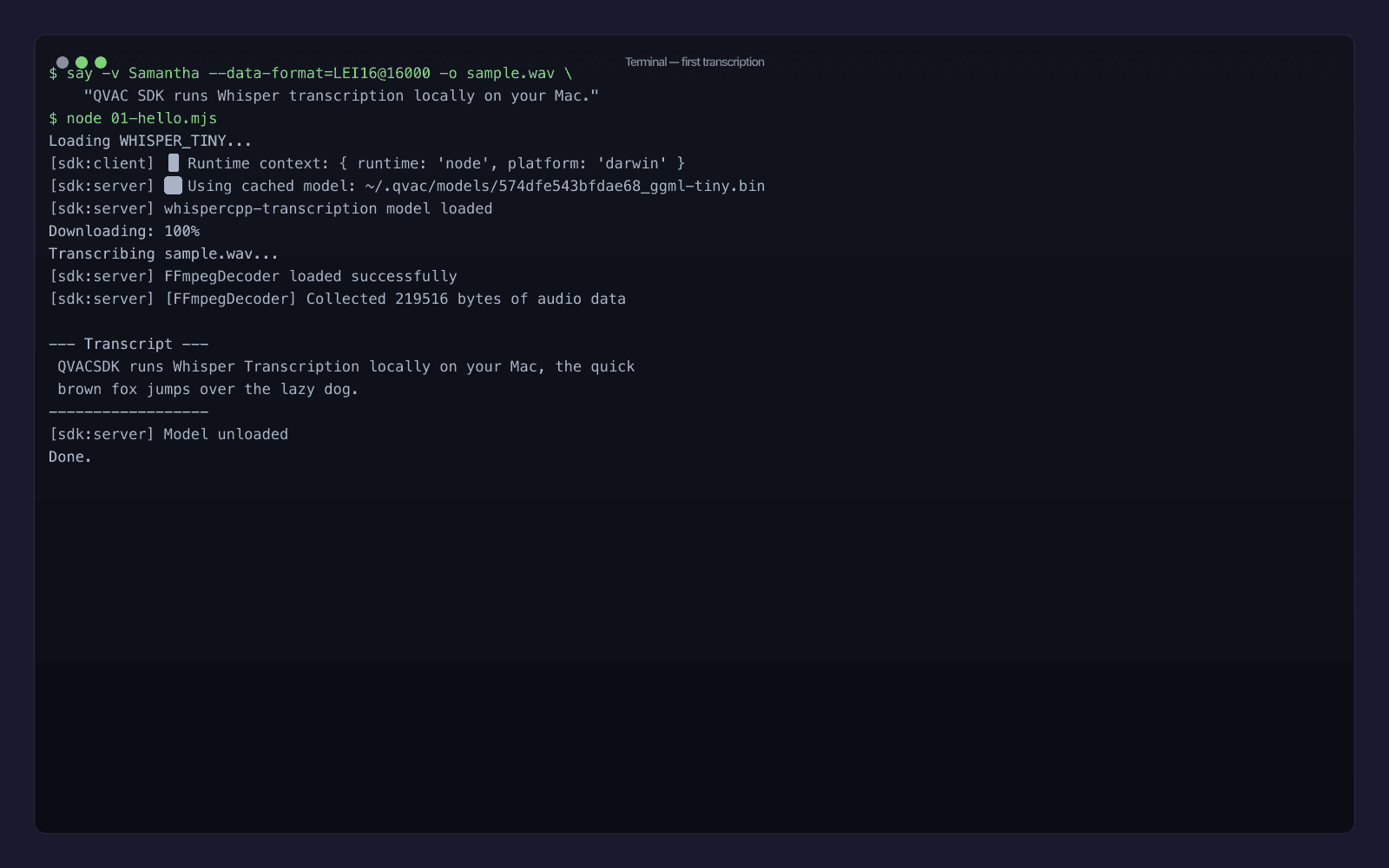
First time through, the model downloads from the QVAC peer-to-peer registry and caches to ~/.qvac/models/. Second run is instant load. The transcript on my machine:
QVACSDK runs Whisper Transcription locally on your Mac, the quick brown fox jumps over the lazy dog.
Notice that WHISPER_TINY runs "QVAC SDK" together as QVACSDK - the tokenizer doesn't know the brand, and the tiny model doesn't have enough context to guess. That's exactly the kind of small accuracy issue that makes you want to either upgrade the model or feed in a prompt: to bias the output toward the right vocabulary. The transcribe() call accepts an optional prompt parameter for exactly that.
Step 2: Benchmark WHISPER_TINY vs WHISPER_EN_BASE on a longer clip
Tiny is great for a quick demo. For anything you'd actually ship, you want a fair benchmark on realistic audio. Let's generate a longer clip - a fake podcast intro that runs about 35 seconds:
say -v Samantha --data-format=LEI16@16000 -o podcast.wav \
    "Welcome to the local AI podcast. Today we are talking about running large language models on your own laptop. The big idea is that you no longer need to send your private documents to a cloud provider. With tools like Whisper and Llama, you can transcribe audio, generate text, and translate languages entirely offline. Let us see how it works in practice."
Then write 03-benchmark.mjs:
import {
  loadModel,
  transcribe,
  unloadModel,
  WHISPER_TINY,
  WHISPER_EN_BASE_Q8_0,
} from "@qvac/sdk"

const audioFile = "./podcast.wav"

async function bench(modelSrc, label) {
  const t0 = performance.now()
  const modelId = await loadModel({
    modelSrc,
    modelType: "whispercpp-transcription",
  })
  const tLoaded = performance.now()
  const text = await transcribe({ modelId, audioChunk: audioFile })
  const tTranscribed = performance.now()
  await unloadModel({ modelId })

  console.log(`\n[${label}]`)
  console.log(`load:       ${(tLoaded - t0).toFixed(0)} ms`)
  console.log(`transcribe: ${(tTranscribed - tLoaded).toFixed(0)} ms`)
  console.log(`text: ${text.trim()}`)
}

await bench(WHISPER_TINY, "WHISPER_TINY (multilingual, 75 MB)")
await bench(WHISPER_EN_BASE_Q8_0, "WHISPER_EN_BASE_Q8_0 (English, 62 MB, Q8)")
Run it:
node 03-benchmark.mjs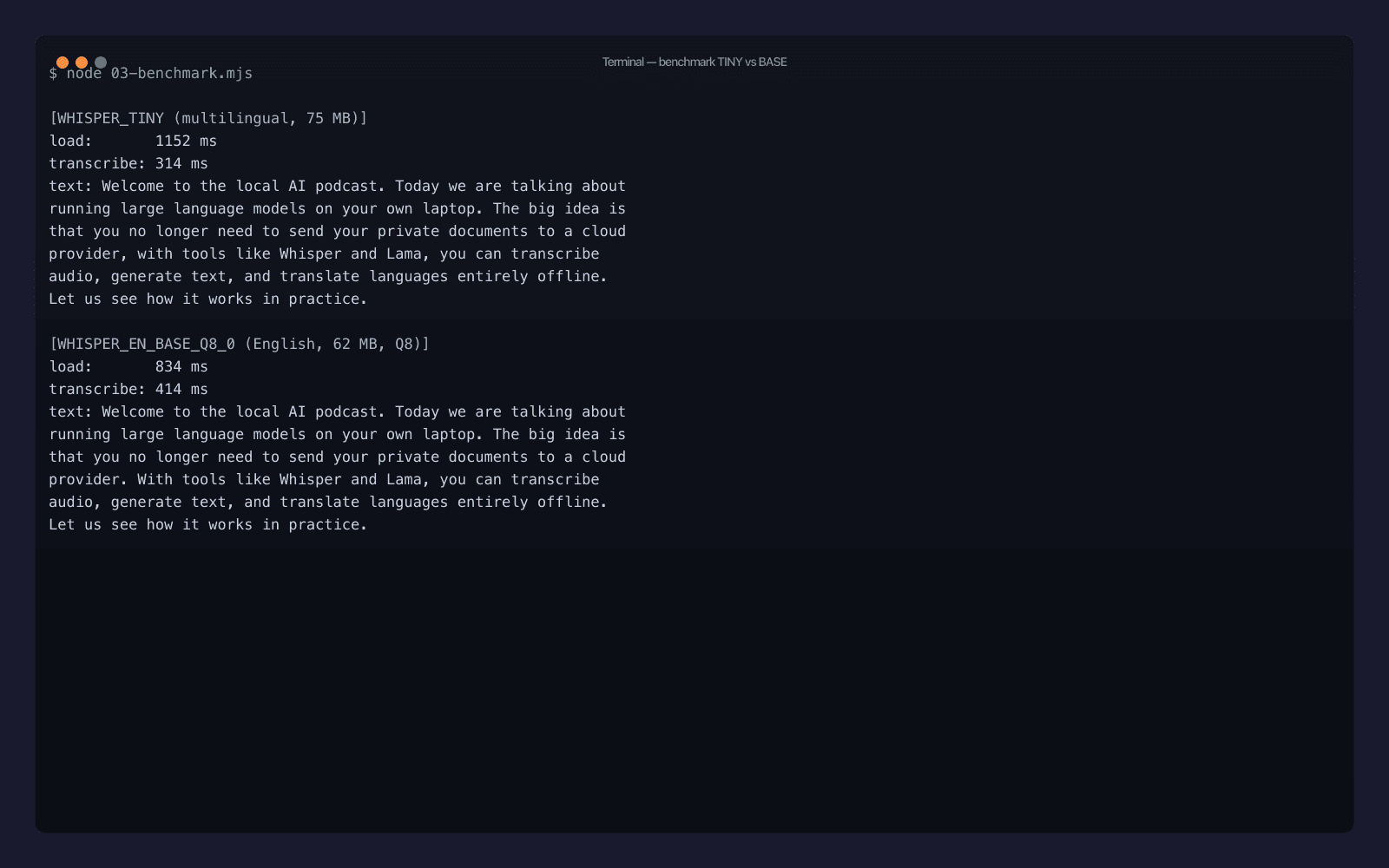
Real numbers from my Mac, after the second run (so model load is from disk, not network):
| Model | Size | Load | Transcribe (35 s clip) | Real-time factor |
|---|---|---|---|---|
WHISPER_TINY | 75 MB | 1152 ms | 314 ms | ~111× |
WHISPER_EN_BASE_Q8_0 | 62 MB | 834 ms | 414 ms | ~85× |
A few things worth noticing:
- Both transcripts are essentially perfect on a clean voice - the only error in either is "Llama" → "Lama", which is a tokenizer issue, not a model issue. A single
prompt: "Llama, GGUF, QVAC, Whisper"fixes that for production runs. - The English-only Q8-quantized model is smaller and faster to load than the multilingual tiny, despite being one tier up the accuracy ladder. Quantization is doing real work.
- The accuracy difference shows up in punctuation, not in words.
WHISPER_EN_BASE_Q8_0ends the second sentence with a period;WHISPER_TINYruns it on with a comma. For anything you're going to display to a human, that matters. - ~110× real-time factor means a 1-hour meeting recording transcribes in about 32 seconds. That's not a typo.
For a production rule of thumb: ship WHISPER_EN_BASE_Q8_0 for English-only apps, ship WHISPER_TINY if you need a small multilingual default, and reach for WHISPER_LARGE_V3_TURBO (also in the registry) only when accuracy is the critical metric and you don't mind a ~1.5 GB model on disk.
Need help with AI integration?
Get in touch for a consultation on shipping local, private AI in your product.
Step 3: Wrap QVAC + Whisper as a CLI
The benchmark script is fine as a benchmark. What you actually want is a tool you can run on any audio file. Save this as transcribe.mjs:
#!/usr/bin/env node
import {
  loadModel,
  transcribe,
  unloadModel,
  WHISPER_TINY,
  WHISPER_EN_BASE_Q8_0,
} from "@qvac/sdk"
import { existsSync } from "node:fs"

const file = process.argv[2]
const flag = process.argv[3] ?? "--fast"

if (!file) {
  console.error("usage: transcribe <file.wav> [--fast | --accurate]")
  process.exit(1)
}
if (!existsSync(file)) {
  console.error(`error: ${file} not found`)
  process.exit(1)
}

const modelSrc = flag === "--accurate" ? WHISPER_EN_BASE_Q8_0 : WHISPER_TINY

const modelId = await loadModel({
  modelSrc,
  modelType: "whispercpp-transcription",
})
const text = await transcribe({ modelId, audioChunk: file })
await unloadModel({ modelId })

console.log(text.trim())
Make it executable and run:
chmod +x transcribe.mjs
./transcribe.mjs podcast.wav --accurate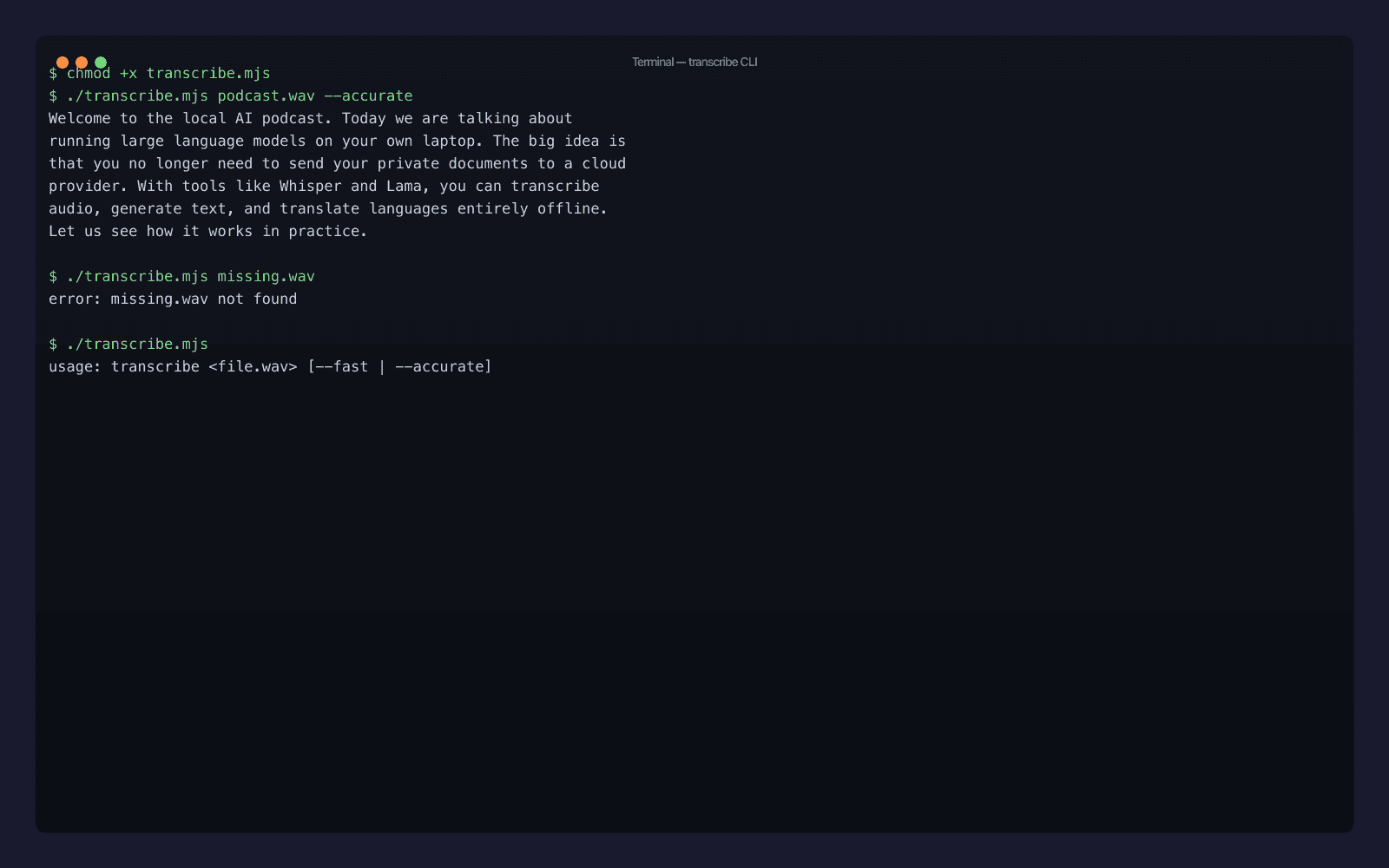
The full output:
Welcome to the local AI podcast. Today we are talking about running large language models on your own laptop. The big idea is that you no longer need to send your private documents to a cloud provider. With tools like Whisper and Lama, you can transcribe audio, generate text, and translate languages entirely offline. Let us see how it works in practice.
Twenty-five lines including imports and error handling, and you have a private speech-to-text tool that runs offline forever. Symlink it into ~/bin/transcribe and you're done - transcribe meeting.wav --accurate > notes.md is now a real workflow on your machine.
A few production polish ideas the file above leaves out (deliberately, to keep it short):
- Streaming. Replace
transcribe()withtranscribeStream()to receive text in chunks as Whisper's voice activity detector finds segment boundaries. Useful for long files where you want progress. - Diarization. If you need "who said what", swap to the Parakeet plugin (
@qvac/sdk/parakeet-transcription/plugin) - sameloadModelshape, differentmodelType, and the result includes speaker labels. - Non-WAV inputs. QVAC's internal FFmpeg decoder (you can see it in the run logs as
FFmpegDecoder) accepts MP3, MP4, M4A, OGG, FLAC. Just hand it the path; it deals with the format. - Long-running daemon. Keep one
loadModelwarm in a parent process and accept paths over a Unix socket. The current SDK already runs Whisper in a Bare worker - the model stays loaded across multipletranscribe()calls within the same process.
Troubleshooting QVAC Whisper transcription on macOS
The happy path above was clean on my machine. Here are the failure modes you're most likely to hit on yours, with the actual fix:
Cannot find module '@qvac/sdk'after install. You're probably on Node ≤ 22.16. Runnode --versionand upgrade. The SDK uses native worker thread features that landed in 22.17. There's no fallback - older Node will fail at import time, before you even reachloadModel().- Model download stalls at 0%. The default registry pulls models peer-to-peer over Hyperswarm. If you're behind a corporate firewall blocking UDP, the swarm can't form. Either configure
swarmRelaysin aqvac.config.ts(the SDK has built-in blind-relay support for NAT/firewall traversal) or setQVAC_REGISTRY_HTTP_FALLBACK=1to force HTTP-only fetches. - Transcript is empty or single character. Your audio is probably the wrong sample rate. Whisper expects 16 kHz; the SDK's internal FFmpeg resamples for you, but if the input is corrupted (truncated WAV header, zero-length file) it produces garbage. Run
file your-audio.wavto confirm it's a real WAVE, andffprobe -i your-audio.wavto inspect channels and sample rate. - First call takes minutes, second is instant. That's expected. The first run downloads weights to
~/.qvac/models/and validates the SHA-256 checksum. Subsequent runs hit the local cache. To pre-warm a model without transcribing anything, callloadModel()and thenunloadModel()in a setup script.
If you're seeing something else, the SDK exposes getLogger() and a loggingStream() helper - bumping the level to debug will show every call into the Bare worker, which is usually enough to localize the issue.
What you actually shipped
If you ran every block in this post end-to-end, you have:
- An
@qvac/sdkinstall, plus~/.qvac/models/populated withWHISPER_TINYandWHISPER_EN_BASE_Q8_0GGUF weights. - A
01-hello.mjsproving the minimalloadModel → transcribe → unloadModelloop runs on this machine. - A
03-benchmark.mjsthat gives you honest numbers for both models on your hardware. - A
transcribe.mjsCLI you can use for actual work, today, on any audio file.
Total time from npm init to working CLI on a fresh machine: ten minutes if you have the bandwidth for the SDK install, less than two if you don't. Total runtime cost going forward: zero. Total cloud calls: zero. Total audio bytes sent to a third party: zero.
Where to go next
If you want more QVAC depth on adjacent capabilities, I'd point you at:
- The official QVAC docs - full API reference, plugin matrix, and the model registry list (~653 models as of v0.9).
- The QVAC source on GitHub - the SDK is Apache-2.0 and the C++ engines (the Whisper fork lives at
qvac-ext-lib-whisper.cpp) are all there. - My broader chatbots-to-agents shift post - once you have local transcription working, you'll want to wire it into something larger, and that piece covers what "larger" looks like in 2026.
I'll be writing more in this series in the coming weeks: a head-to-head against Ollama for local LLMs, a real on-device RAG build, the iPhone-via-Expo guide. If there's a QVAC angle you want covered next, say hi.
Discover my projects
Take a look at the projects I'm working on and the technologies I use.